Catalogs: what you see
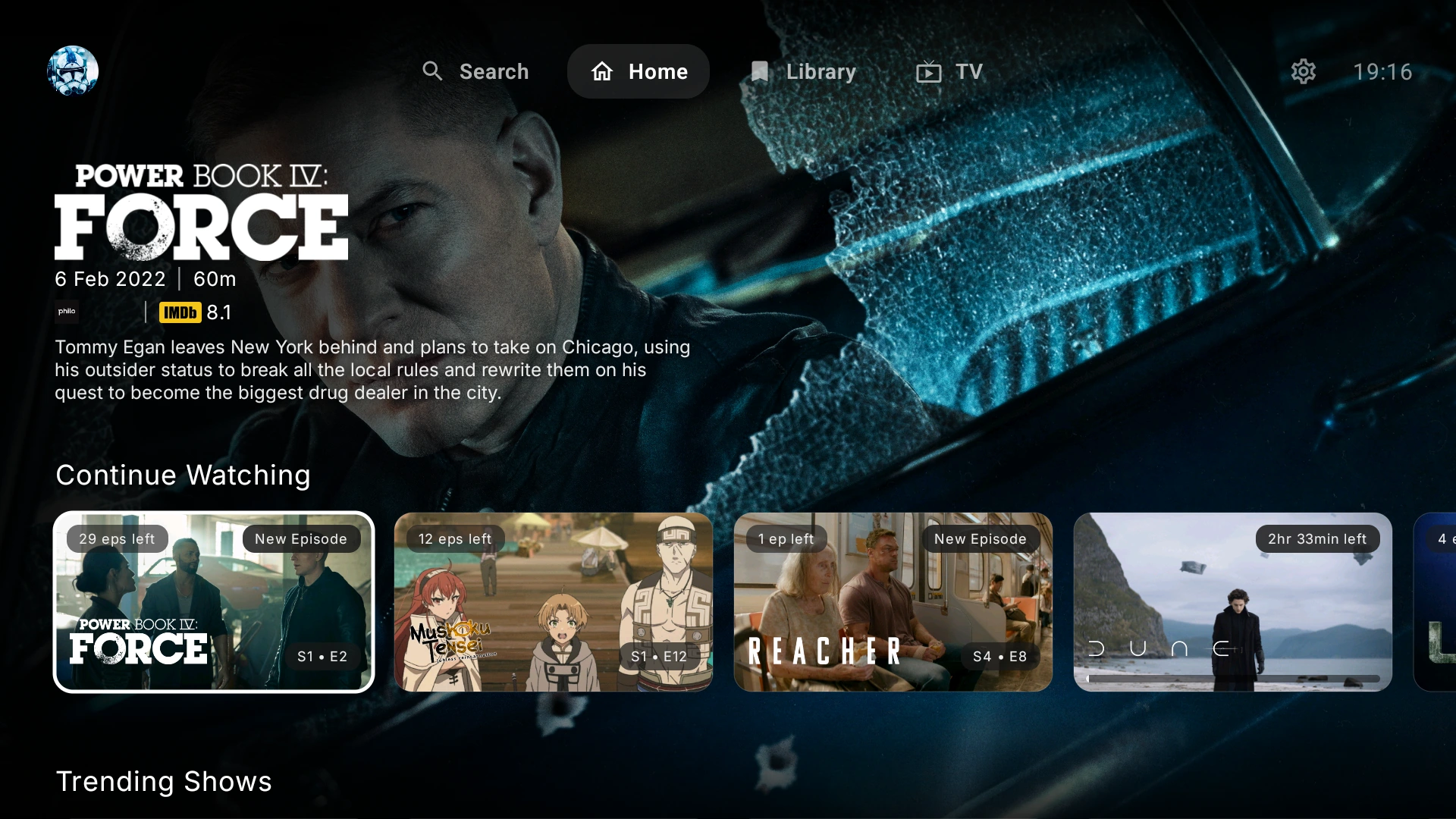
Posters, rows, descriptions, cast and ratings. They come from TMDB, Trakt, MDBList, your server or an add-on. A catalog is a menu, not a kitchen: seeing a poster does not mean it can play.

Start here · 5 minute read
ARVIO is a free, open-source app that puts the things you already use in one tidy place: your media server, your live TV subscription, add-ons you trust, your watchlist and your music. It is the player and the remote, not the content. Nothing is included until you connect it.
Updated 26 November 2026 · By the ARVIO project
The short version
Free on Android TV, Google TV, Fire TV and Android phones. On iPhone, iPad, Mac and Windows you use ARVIO Web in the browser.
Your Jellyfin, Plex or Emby server, the live TV login from your provider, or an add-on from a service you are allowed to use.
Sign in to the free ARVIO Cloud account and your profiles, add-ons and progress follow you to every screen.
Think of it like a music player or a web browser: very useful, but it only plays what you point it at. If someone tells you ARVIO “has everything for free”, they mean something they added themselves, and that is their responsibility.
The building blocks
Most questions disappear once you know these four words. They are separate on purpose, so one can work while another is missing.
Posters, rows, descriptions, cast and ratings. They come from TMDB, Trakt, MDBList, your server or an add-on. A catalog is a menu, not a kitchen: seeing a poster does not mean it can play.
The actual video or audio. A source is your media server, your live TV subscription or an add-on that returns playable streams you have rights to. When you press Play, ARVIO asks your sources and lists what they offer.
Optional. Trakt and Simkl remember your watchlist, history and where you stopped. They never provide video. Tracker guide.
Optional free account. It syncs profiles, add-ons, catalogs, live TV settings and progress between your TV, phone and ARVIO Web. Profiles and sync guide.
Stay on the right side
ARVIO works best with sources that are yours or that you pay for. They are also the ones that keep working: no sudden shutdowns, no buffering at kick-off, no malware.
Put the films, series, home videos and music you own on a free Jellyfin server, or use Plex or Emby. ARVIO shows them with artwork and resumes where you left off. Connect a home server.
Many TV and internet providers, and some broadcasters, give subscribers an M3U playlist, Xtream login or program guide (EPG). Ask your provider for the details and add them under Settings → TV. Live TV guide.
Free-to-air broadcasters, public-domain film libraries, official channels from rights holders and, for music, artist-uploaded catalogs such as Audius. Plenty of good content is free and fully legal.
Add-ons are small web services that tell ARVIO about titles and streams. Only install add-ons from providers you trust and are authorized to use. How add-ons work.
If a playlist or add-on offers every new cinema release and thousands of premium channels for free or for a few euros, it is almost certainly not licensed. ARVIO cannot help with those, we will not recommend them, and they put you at risk of malware, blocked accounts and legal letters. When in doubt, leave it out.
Hands on
On Android TV, Google TV or an Android phone: Google Play or the official APK. Fire TV: see the Fire TV guide. iPhone, iPad, Mac or Windows: ARVIO Web.
Choose a name and avatar. Everyone in the house can have their own profile with their own watchlist and progress. Children get a kids profile.
Open Settings → Accounts → ARVIO Cloud. On a TV, scan the QR code with your phone instead of typing. From now on, what you set up once appears on your other devices.
Pick the easiest one you have: Settings → Home Server for Jellyfin, Plex or Emby, Settings → TV for your provider's live TV, or Settings → Addons for an add-on manifest URL.
Search for a title you are sure your source has and press Play. If it plays, you are set. If not, the playback checklist tells you why in a few minutes.
Pick an accent colour, reorder your home rows, hide tabs you never use and add collections. Optional: connect Trakt or Simkl.
Which version do I need?
| Device | Use | Cost |
|---|---|---|
| Android TV, Google TV, Chromecast with Google TV, Nvidia Shield | The ARVIO app from Google Play or the official APK. Setup guide | Free |
| Amazon Fire TV (Fire OS) | The official Android APK. Newer Vega OS devices cannot install Android apps. Fire TV guide | Free |
| Android phone or tablet | The same ARVIO app, with a touch layout and the Music tab. Music guide | Free |
| iPhone, iPad, Mac, Windows, Linux | ARVIO Web in your browser, hosted by us or on your own server. iPhone and iPad · self-host | Hosted: Premium. Self-hosted: free |
Glossary
/manifest.json. Treat one with your login inside it like a password.Common questions
No. ARVIO is software only. It does not host, sell or bundle any media. You see and play what you connect yourself: your own server, your provider's live TV, or add-ons from services you are allowed to use.
Yes. The Android, Android TV and Fire TV app is free and open source, with no ads and no paid tier. Only the hosted browser version, ARVIO Web, has an optional paid plan, and you can self-host ARVIO Web for free.
Posters come from catalogs; video comes from sources. A title shows up because a catalog knows it exists, not because one of your sources has it. Connect a source that actually has the title, or check the playback checklist.
Yes. ARVIO is a media player and organizer, like VLC or Kodi. Whether what you watch is legal depends on the sources you connect. Stick to your own media, services you pay for and official free content.
We do not recommend or support unlicensed add-ons or playlists. Good legal options are your own Jellyfin, Plex or Emby server, the live TV login from your TV provider, free-to-air broadcasters and official free services.
No. Everything works without one. A free ARVIO Cloud account is useful when you use more than one device, because it syncs profiles, add-ons, catalogs and progress.
Read the guide for your topic first, then ask in the ARVIO Discord with your device, ARVIO version and the exact message you see. Never post passwords or private URLs.
Ask in the ARVIO Discord. Mention your device, the ARVIO version (shown under Settings → Accounts) and the exact message you see. Never share passwords, access tokens or private addon or playlist URLs.
Back to all guides · New here? Read how ARVIO works.