Official Android APK · Compatible Fire OS devices
Install ARVIO on Fire TV.
Sideload the free ARVIO Android APK on a compatible Fire TV Stick, Cube or television running Fire OS. Check your operating system first: the APK cannot be installed locally on Vega OS.
Updated · By the ARVIO project
Before downloading
Check Fire OS, not just the Fire TV name.
Open Settings → My Fire TV → About and check the device and software details. Some televisions call this menu Device & Software or Device. Match the exact model and generation to Amazon's Fire TV operating-system table if the screen is unclear.
Fire OS: check the APK requirements.
Fire OS is based on Android. The ARVIO 2.0.1 release provides a signed ARMv7/ARM64 APK requiring Android 6.0 or newer. Fire OS 5 is based on Android 5.1, so it does not meet that requirement. Check the release notes again when installing a newer version; meeting the minimum does not guarantee every playback feature.
Vega OS: this APK does not apply.
Vega OS uses a different app format. Amazon's app-targeting documentation distinguishes Fire OS APKs from Vega OS VPKGs. Changing installation permissions cannot make this Android APK compatible with Vega OS.
This is ARVIO's general Android sideload release, not a dedicated Amazon Appstore build. Codec support, HDR, audio passthrough and performance still depend on the exact device, television and audio equipment.
Step by step · Fire OS only
Sideload the official signed APK.
You need a compatible Fire OS device, an internet connection and enough free storage for the download and installation. These steps use an on-device installer; ADB debugging is not required.
Install a downloader you trust.
On Fire TV, use Find or Search to locate an APK-capable downloader or file manager in the Amazon Appstore. One option, where available, is Downloader by AFTVnews. Check the app's publisher, install it and open it once.
Find Developer options if needed.
Go to Settings → My Fire TV → Developer Options. If the entry is hidden, open About, highlight the device name and press the remote's centre/select button seven times, then press Back. Amazon documents this reveal step for some software versions; menu names and availability can vary.
Allow installation for your chosen app.
Open Install unknown apps and enable permission only for the downloader or file manager you selected. Older Fire OS menus may use Apps from Unknown Sources instead. Follow the installation prompt for your version. Leave ADB Debugging off; it is not part of this method.
Open the official GitHub release.
In the downloader's URL field, enter
https://github.com/ProdigyV21/ARVIO/releases/latest. Expand Assets and select the file ending in-sideload-release.apk. Choose the APK, not a source-code ZIP or an AAB store bundle. Use the release page directly rather than an unverified mirror or numeric download code.Install and open ARVIO.
When the download finishes, open the APK from the downloader's files list if the system installer does not open automatically. Confirm the app is ARVIO, choose Install, then Open. If installation fails, keep the error message and use the checks below.
Finish the installation.
After ARVIO opens successfully, remove the downloaded APK if you need the storage; removing that installer file does not remove the installed app. Return to the installation-permission menu and turn off permission for the downloader until you need it again.
If GitHub does not load in your downloader, download the same official APK on a computer or phone and transfer it over your home network with a file-transfer app you trust. Open it with your chosen Fire TV file manager and grant that app installation permission when prompted.
Connect one source and test playback.
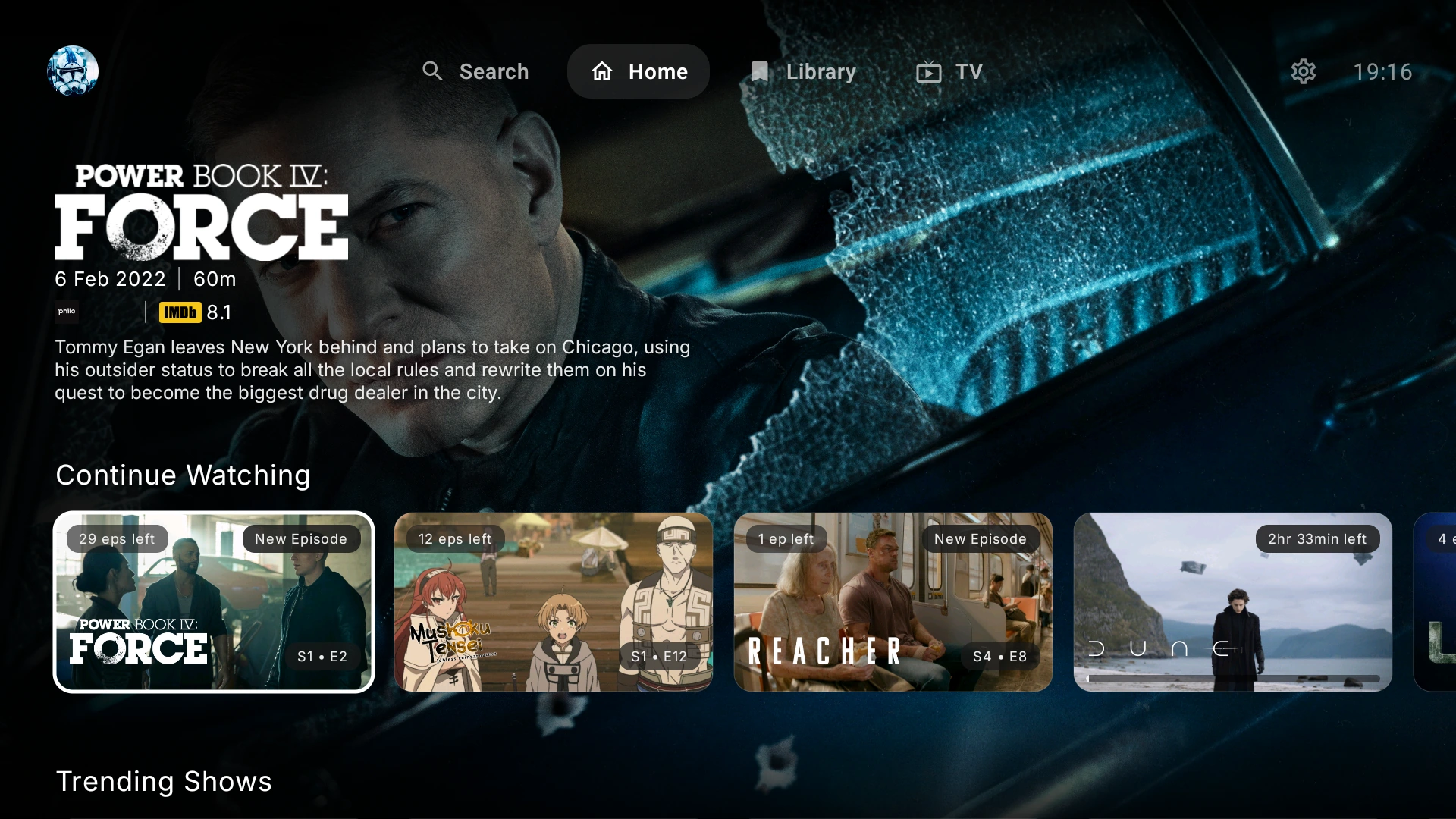
Create or select your ARVIO profile, then open Settings. Connect a Jellyfin, Plex or Emby server the Fire TV can reach, or add your authorised playlist using the live TV and EPG guide. ARVIO does not supply media or third-party subscriptions.
Choose a familiar title and test picture, audio, subtitles and remote controls before adding more services. Start with a modest bitrate and a format your device supports. A visible poster is metadata; it does not by itself mean a playable source is connected.
Update without removing your setup.
To update manually, return to the official release page and install the newer signed sideload APK over the existing app. A normal update requires a compatible package, matching signing certificate and a newer version. Re-enable permission for your chosen installer only when needed.
If the update is rejected, check its version and download source before changing anything. Keep your existing installation while seeking help: uninstalling ARVIO or choosing Clear Data can remove local profiles and settings.
Troubleshooting
Find the step that failed.
Installation is blocked or permission is missing.
Confirm that the device runs Fire OS, then check permission for the app actually opening the APK. A downloader and a file manager are separate installation sources. If your menus differ, follow the system prompt. If Fire OS reports a security or device-policy block, record the message and check with Amazon or ARVIO support before proceeding.
“App not installed” or a package error appears.
Check the release's minimum Android version against your Fire OS version. Confirm that the download finished and ends in .apk. Download a fresh copy from the official release if it is incomplete. For an update, an older version or a different signing certificate can cause rejection; keep the current app and report both versions rather than uninstalling it.
The device is low on storage.
Check available storage in Fire TV Settings. Remove old downloaded installer files you no longer need, then retry. Under Applications → Manage Installed Applications, Clear Cache can free temporary app files; Clear Data removes app data and is a different action.
The app opens but video buffers, has no sound or fails.
Confirm that your server or provider is reachable and that your account can play the item. Try another known-working title and a lower-bitrate source. If only one format fails, check your device's codec support and the TV or receiver's audio capabilities. Test a supported audio track or disable passthrough in player settings for that test. An installation succeeding does not establish 4K, HDR or Dolby support.
Still stuck? Ask in the ARVIO Discord or check existing GitHub issues. Include the exact Fire TV model, Fire OS version, ARVIO version, installation source and error text. For playback, include the codec and whether other titles work. Remove passwords, access tokens and private playlist URLs from screenshots and logs.
Fire TV questions.
Is this a dedicated Amazon Appstore build?
No. This guide installs ARVIO's general Android sideload APK from the official GitHub releases. It is not a dedicated Amazon Appstore build, and compatibility depends on your Fire OS device and the release requirements.
Can I install the ARVIO APK on Vega OS?
No. This Android APK cannot be installed locally on Vega OS. Fire TV branding alone does not establish Android compatibility; check the operating system for your exact device.
Do I need ADB debugging to install ARVIO?
No. Downloading and opening the APK on a compatible Fire OS device uses the installer app's installation permission. ADB debugging is for a separate computer-based development workflow and is not needed for these steps.
Do I need Premium or a media subscription?
The Android APK is free and does not require ARVIO Premium. ARVIO includes no movies, channels or third-party subscriptions. Connect your own libraries or services that you are authorised to use.
Keep building your setup.
Ready for a compatible Fire OS device?
Get the free signed Android APK from the official release.