M3U playlist URL
Add the full playlist URL supplied by your provider, with an optional XMLTV EPG URL. If the playlist URL contains a username or token, treat the entire address as a password.

Free Android app · Optional integrations
Watch your authorized live TV sources on Android TV, Google TV or Android mobile. Connect an M3U playlist, an Xtream account or a Stalker portal, then browse channels and available programme information. ARVIO is the player: it does not sell subscriptions or include channels.
Updated 5 October 2026 · By the ARVIO project
Use the account you already have
Ask your provider which connection type your account supports. An EPG is programme information, not a source of channels.
Add the full playlist URL supplied by your provider, with an optional XMLTV EPG URL. If the playlist URL contains a username or token, treat the entire address as a password.
Choose Xtream in the Android form and use the provider's server address, username and password. This is a different form from M3U: use the connection details supplied for that format.
Enter the portal URL and the MAC address authorized for your account. Do not invent an address or copy another customer's identity. Portal access and device limits are controlled by your provider.
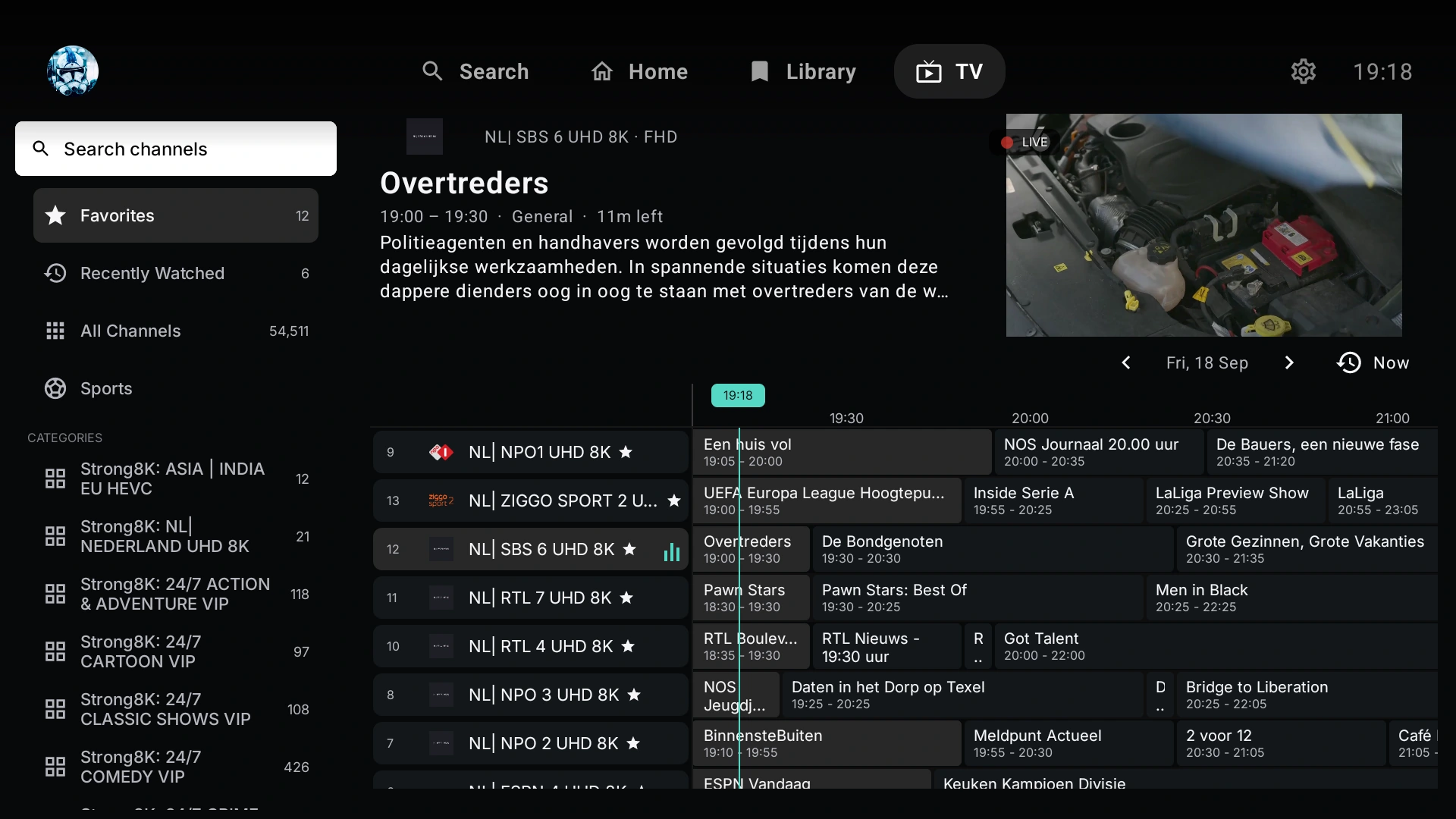
Browse the TV guide, organize favourites and use channel groups where supplied. Programme details and catch-up availability depend on provider data; an empty guide does not necessarily mean playback is unavailable.
Step by step
Get the free Android app from Google Play or the official GitHub release. Have an authorized playlist URL or account ready. See the Android TV installation guide for first-time setup.
Choose M3U, Xtream or Stalker in the Android playlist form. Give the connection a recognizable name so you can distinguish it from other providers.
For M3U, paste the playlist URL and optional EPG URL. For Xtream, enter the server address and credentials. For Stalker, enter the portal and authorized MAC address. Preserve the ports, paths and query parameters supplied by your provider.
Allow the channel list to load, open TV and choose a known channel. If the form offers Live, Movies and Series import options, enable the categories you want and that your provider supplies.
Test a channel first, then check its current programme. Channels may play without EPG data; a populated guide does not establish that every stream works on your device.
For an M3U connection, add the provider's XMLTV address in the EPG field. The playlist describes channels and stream URLs; XMLTV supplies schedules. Use guide data intended for the same channel lineup.
If channels load but the guide stays empty, check that the EPG URL is reachable and returns XML rather than a login page. Matching channel identifiers, schedule dates and time zones matter. Confirm your provider supplies compatible EPG data before changing working playback settings.
Android and web are not identical
In the browser, open Settings → TV (IPTV). Enter Playlist name, M3U playlist URL and EPG XMLTV URL (optional), then choose Add playlist. Stalker portal URL and MAC address have their own settings. The Android Xtream form is not a dedicated browser form.
Browser playback depends on HTTPS, CORS, stream codecs and provider access rules. A stream working in Android can still fail in a browser. Self-hosting does not remove these restrictions. Compare free self-hosting and optional managed hosting in the ARVIO Web guide.
Never share complete provider URLs, passwords or tokens in public troubleshooting posts.
Common questions and troubleshooting
No. ARVIO supplies player software, not channels, playlists or an IPTV subscription. You must connect a provider or source you are authorized to use.
Yes. ARVIO's Android playlist form supports M3U, Xtream and Stalker connections. The correct account details and available channels still depend on your provider.
Channel playback and programme information are separate. Check the XMLTV URL, channel identifiers, schedule dates and time zones, and confirm that your provider supplies EPG data for that lineup.
Browsers have different codec, HTTPS and cross-origin restrictions. Check the provider's stream format and browser access rules; successful Android playback does not guarantee browser compatibility.
Check the complete URL, account validity, network connection and provider device or simultaneous-stream limits. Test the same authorized source with your provider's recommended client to separate an account problem from an ARVIO problem.
Related guides
Connect only sources and accounts you are authorized to use.