Monthly · $2.99/month
Renews every month. Cancel anytime through Ko-fi.

iPhone · iPad · Safari
ARVIO runs on iPhone and iPad as ARVIO Web in Safari. Sign in with the account you already use on your TV, add it to your Home Screen and it opens like an app. There is nothing to install from the App Store and no server to run.
Updated 24 October 2026 · By the ARVIO project
Three minutes
Type web.arvio.tv into the address bar. Safari gives the most reliable Home Screen experience on iPhone and iPad.
Use the same email you use in the ARVIO app on Android or TV, then choose your profile. Your profiles, watchlist, Continue Watching and progress come across through ARVIO Cloud. No ARVIO account yet? Create one on the sign-in screen.
Tap the Share button, then Add to Home Screen, then Add. On recent iOS versions, Share sits behind the ••• button next to the address bar; on iPad it is at the top right. If Safari shows Open as Web App, leave it on. ARVIO now opens from its own icon, full screen and without the Safari toolbar.
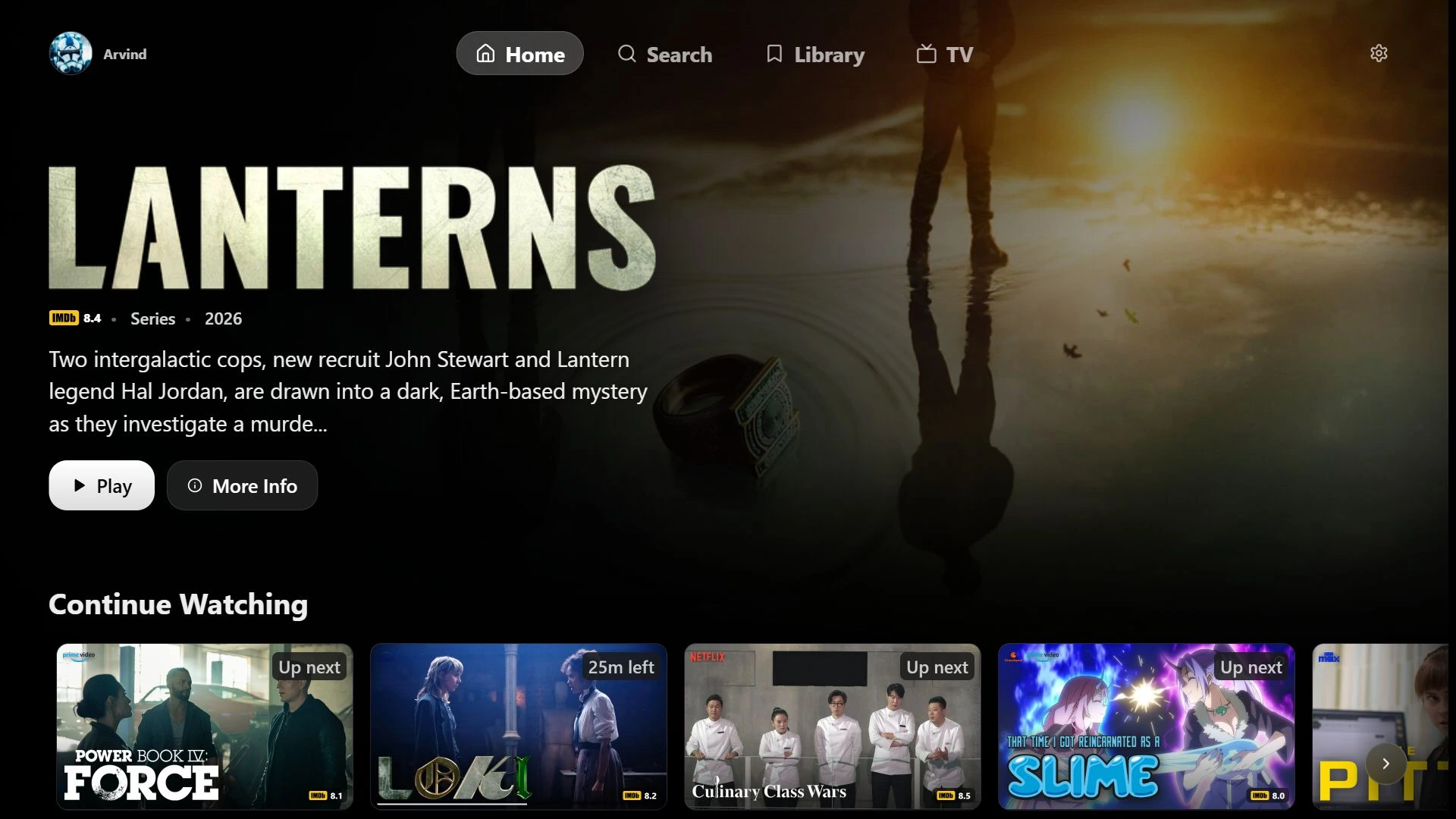
Once you are signed in, ARVIO Web is yours to explore. You can choose a profile, browse your watchlist, catalogs and title pages, and set up addons, home servers and your live TV playlist. Everything you set up stays in your ARVIO account.
ARVIO Web asks you to choose a plan only when you press Play. If you decide not to, nothing is charged.
ARVIO Premium
Renews every month. Cancel anytime through Ko-fi.
Best value: you save 44% compared with 12 months of the monthly plan. One payment, no automatic renewal.
Both plans give you the same hosted ARVIO Web on iPhone, iPad, Mac and Windows. You choose a plan inside ARVIO Web. Doesn't work on your device? Message us on Discord within 7 days for a full refund.
The Android and TV app stays free, and you can self-host ARVIO Web for free if you prefer to run your own server. Your membership supports development.
Safari plays common formats such as MP4 with H.264 or HEVC video and AAC audio. Some containers and audio formats, such as MKV, DTS or TrueHD, may not play in the browser. For those, ARVIO Web can hand the source off to VLC on iPhone and iPad.
Test one title you know your account can play before setting up everything else. If browsing works but playback does not, the browser playback checklist separates access, connection and format problems.
ARVIO is a media hub for sources you configure. It does not host, provide, sell or include movies, channels, playlists or third-party subscriptions. Connect only services and media you are authorized to use.
Common questions
No. On iPhone and iPad, ARVIO runs as ARVIO Web in Safari. Add it to your Home Screen to open it like an app. The Android APK cannot be installed on iOS or iPadOS.
No. Sign in with the ARVIO account you use on Android or TV. Your profiles, watchlist and progress sync through ARVIO Cloud.
Sign in, choose a profile, browse your watchlist and catalogs, and set up addons, home servers and live TV. ARVIO Web asks you to choose a plan when you press Play.
Message us on Discord within 7 days of paying and we refund you in full.
No. ARVIO is a media hub for sources you configure. It does not include movies, channels or third-party subscriptions. Connect only services and media you are authorized to use.
Still stuck? Ask in the ARVIO Discord with your device, iOS version and the error message. Do not share passwords, access tokens or private provider URLs.
Open ARVIO Web, sign in and look around. You only pay when you press Play.