
Your sources · Your browser · A useful first test
Get your first browser source playing.
A working library and a working video are two different checks. Start with one accessible source, test it on the device you plan to use, then build out your setup.
Updated 30 September 2026 · By the ARVIO project
Five useful steps
Build a reliable starting point.
Use the browser and device you actually want.
Open hosted ARVIO Web or your self-hosted installation. On the hosted service, the one-time three-day trial lets you check your own setup without payment details. A successful desktop test does not establish that the same source works on a phone or tablet.
Connect one playable source.
In Settings, add your supported home server, addon or TV playlist. Choose a source you can already access with your account. Movie posters and trending catalogs provide discovery; they do not mean ARVIO supplies the video.
Choose a straightforward file first.
An MP4 containing H.264 video and AAC audio is a useful baseline when your source offers it. The filename alone cannot establish the codecs: MP4 and MKV are containers, and either can contain different audio and video formats. HLS is a delivery format; it also needs compatible codecs and accessible playlist segments.
Check the whole start of playback.
Press Play and confirm the picture, audio and progress actually begin. Then try seeking and the subtitle track you normally use. A spinner disappearing or a source resolving does not by itself confirm a usable video.
Compare one change at a time.
If a large remux fails, try a smaller browser-compatible version from the same source. If it only fails on one device, compare the same baseline file there. This helps separate source access from the device's ability to decode the media.
Match the symptom to the next check.
| What you see | What to check next |
|---|---|
| Posters appear, but no sources | Confirm the profile has a playback source connected. A metadata catalog or watchlist can populate Home without providing streams. |
| Your server library appears, but Play fails | Check the media URL, account playback permission and selected file version. Reading metadata and accessing video can use different paths or permissions. |
| The video keeps loading | Confirm the provider session and stream are available. A video, playlist, encryption key or media segment can be blocked even when the initial source responds. |
| Black picture, or sound without video | Compare a known H.264/AAC file. The chosen video codec, profile, HDR format or device decoder may differ from what the browser supports. |
| Picture plays, but audio is missing | Try another audio track or a version with AAC audio if your source offers it. Lossless or surround tracks can need a different playback path. |
| It works on desktop, but not iPad | Test the same baseline source on both devices. Check codec differences and whether the iPad can reach the media address through its own network or VPN. |
These checks narrow down the problem. A symptom alone cannot identify a specific cause.
Check the route your media takes.
Jellyfin, Plex or Emby
First confirm the server plays the same item in its own client using the same user account. Then connect that account in ARVIO and select a version. Some servers offer several files for one title, with different resolutions and codecs.
A remote hostname, LAN IP, VPN address and browser origin can have different reachability. localhost on an iPad does not point to your home server. An HTTPS web page can also be prevented from loading insecure HTTP media, or media whose server does not allow the browser request. Browsing a library successfully does not establish that the media URL is reachable.
ARVIO hosting does not grant additional server permissions. If a format needs conversion, the source needs a supported conversion or transcoding path; opening the browser app alone does not add one. Use the home-server guide for the initial connection.
Your live TV playlist
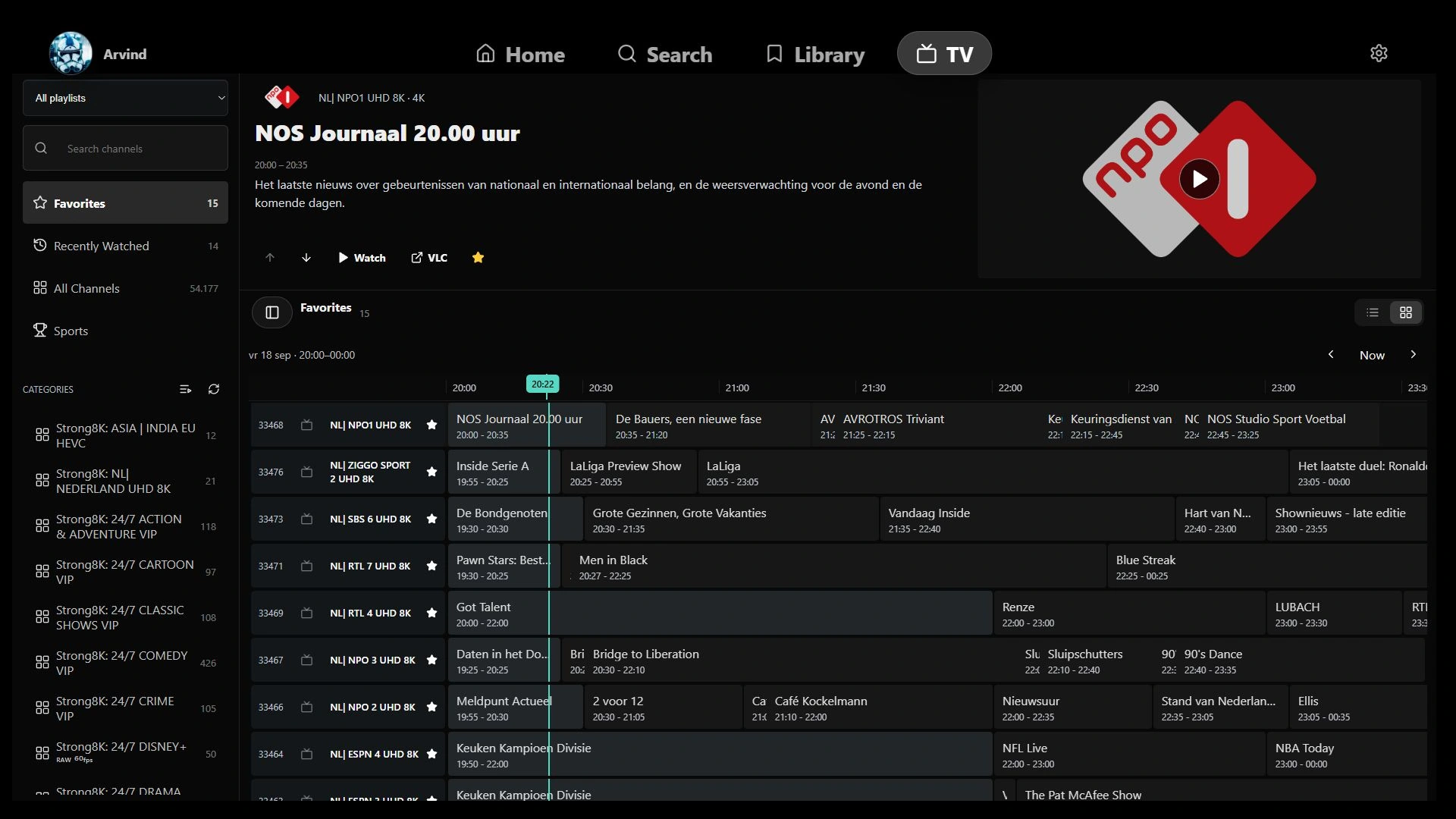
Start with one channel from your own M3U playlist. A populated XMLTV guide proves that programme data was read, rather than that the channel can play. Provider authentication, connection limits, expiring URLs, codecs and individual HLS segments still affect playback.
Test one live channel and one VOD item separately when your setup offers both. They can use different URLs and formats. The live TV and EPG guide explains playlist setup; ARVIO does not provide channels or provider accounts.
Sources from addons
A returned result can be expired, require a provider account or need playback outside the browser. Inspect the available versions in Sources. For browser use, prefer a compatible HTTP source your provider can actually deliver; a higher resolution or larger file is not evidence of better compatibility.
If you prefer an external player, select it manually from the available source actions on your device. That can be useful for some files, but external playback does not prove the same file will work in the browser.
Test iPhone and iPad directly.
A successful Windows session is useful evidence for that Windows setup. It does not guarantee the same codec, audio track or stream works on iPad. Changing browser brands on the same device also does not establish support for a missing media capability.
Test your actual sources during the hosted trial, or on your own installation. Compare a straightforward MP4 first, then try the higher-quality file you intend to use. Premium provides managed hosting and helps fund ARVIO; it is not a promise that every remux, Dolby Vision, DRM-protected source or live channel will play.
MDN's media format guide explains the distinction between containers and codecs. Device support, server configuration and the precise encoding still matter.
If you still need help.
A useful report includes the device, OS and browser versions; the source type; whether the same item plays in its original client; and what happens after pressing Play. Include the visible error and, when available, the file's video/audio codecs and container.
Share those details in the ARVIO Discord or a GitHub issue. Keep login tokens, passwords, signed media URLs and private playlist addresses out of the report.
Why can I see posters but no playable sources?
Catalogs provide discovery and metadata. A playable source must come from a connected home server, supported addon or playlist that you are authorized to use. A title appearing on Home does not include a stream.
Does Premium make every file browser-compatible?
No. Premium provides managed hosting. Playback still depends on the source, network, container, video and audio codecs, DRM and device capabilities. Test your actual sources during the trial.
Can I use the same browser checklist when self-hosting?
Yes. The browser's format limits and source-access requirements still apply. Self-hosting does not automatically provide transcoding or a video relay.
Why does a source work on Windows but fail on iPad?
Devices and browsers can have different codec, media API and network behavior. Compare a known accessible MP4 with H.264 video and AAC audio on both devices, then check the failing source's codecs and connection requirements.
Your browser. Your choice of hosting.
Use the free open-source webapp on your own server, or choose managed hosting that supports development.